Your CS2 inventory,
on your home screen
Paste your Steam link once. Every skin you own, priced non-stop across the best CS2 markets — even while you sleep.
iOS & Android · PRO from €0.99 · or pay once with CS2 skins
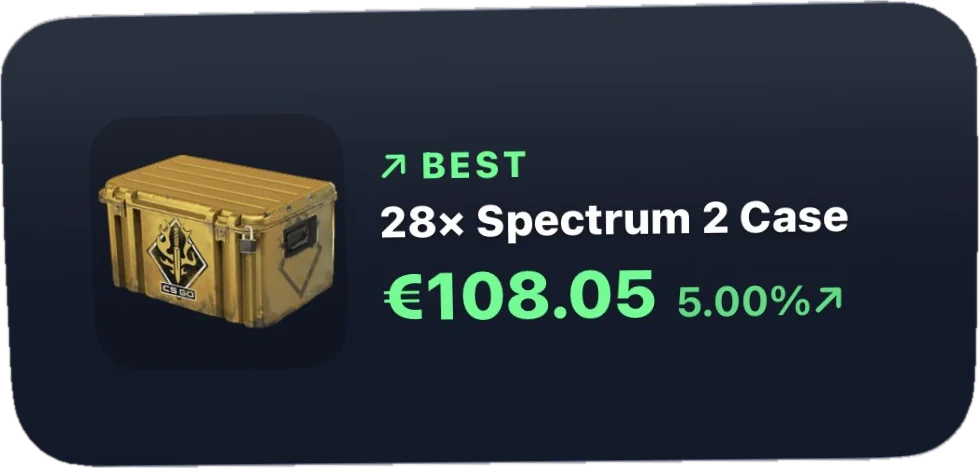
More widgets than fit on one screen.
Every screenshot below is an actual iPhone home screen — not a mockup. Pick the sizes you want, drop them on your home or lock screen, and your inventory is there before you unlock the phone. All of them are part of PRO, on iOS and Android.
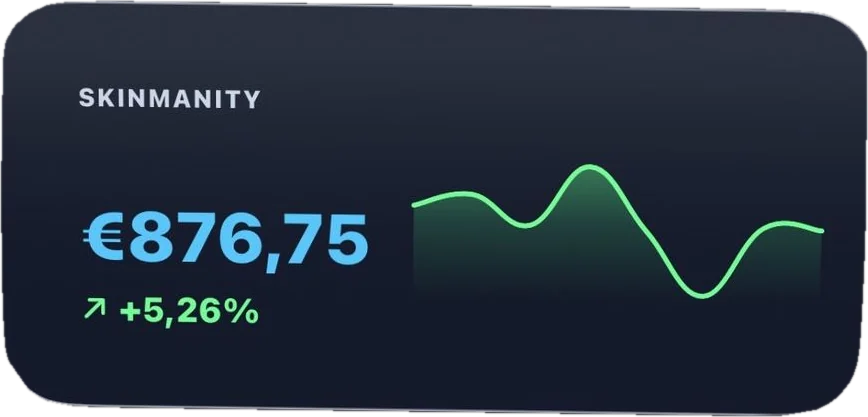
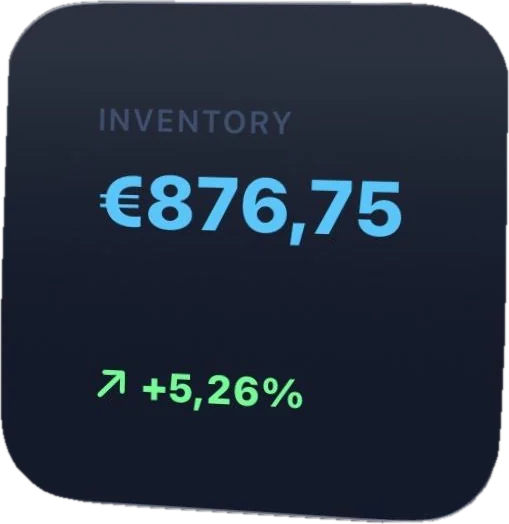
Your CS2 Value at a Glance
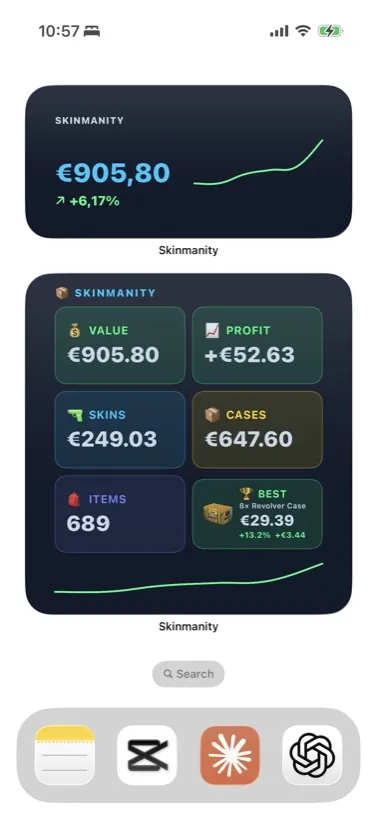
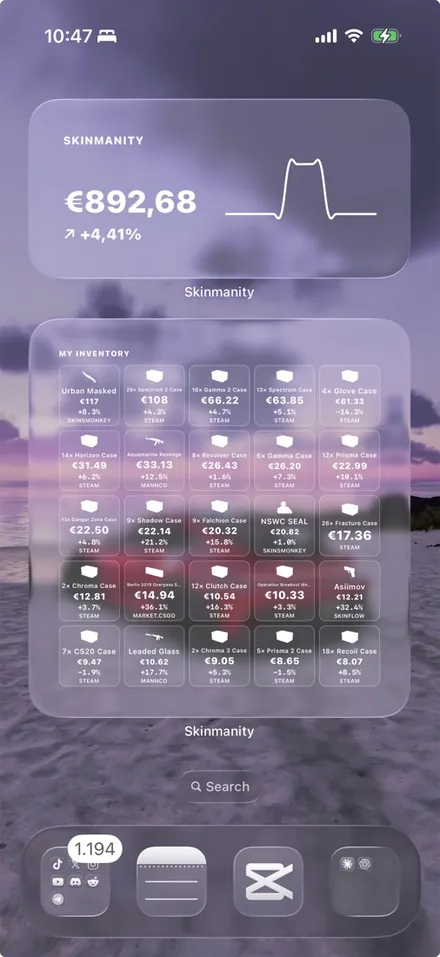
Total inventory value and how much it grew since your Steam import — right on your Home Screen. The medium size adds a live chart of the trend.
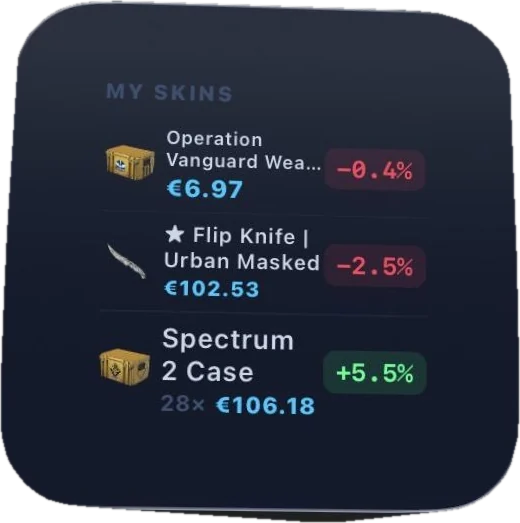
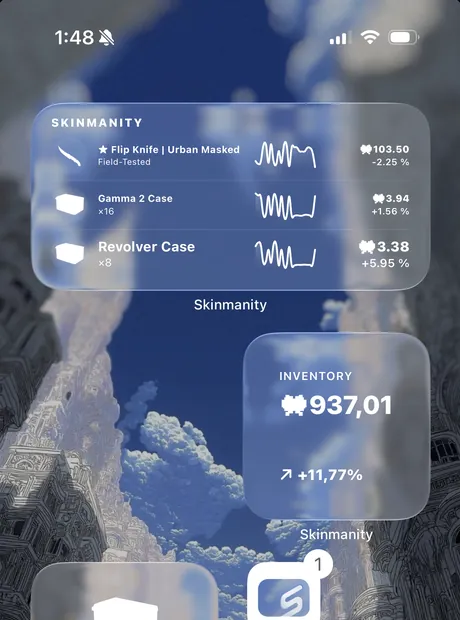
Your 3 Favourite Skins
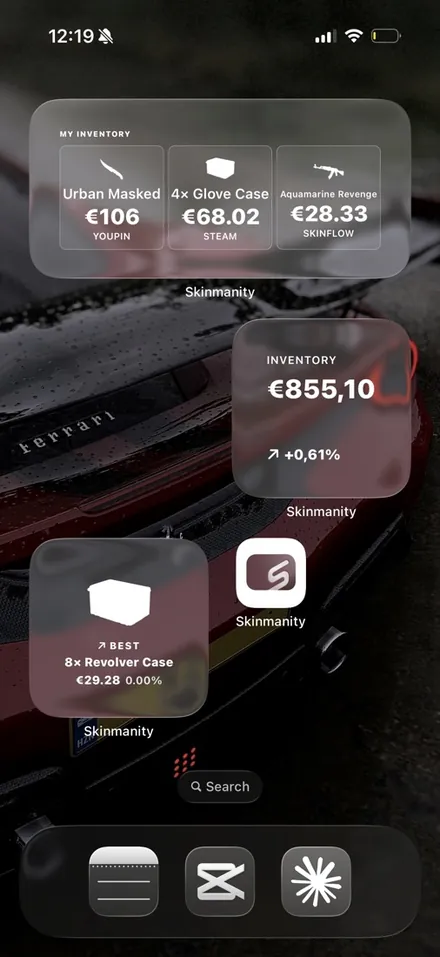
Pick up to 3 skins or cases you care about — live price and growth for each, always visible without opening the app.
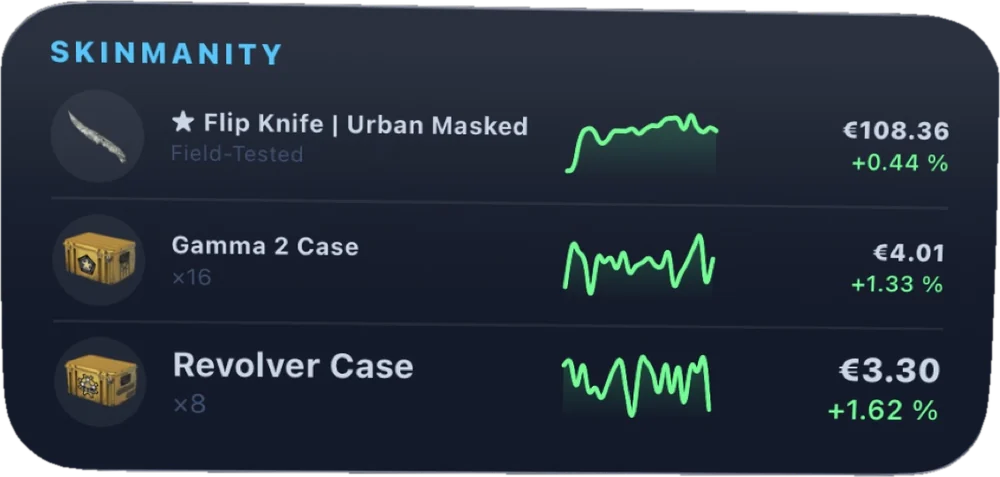
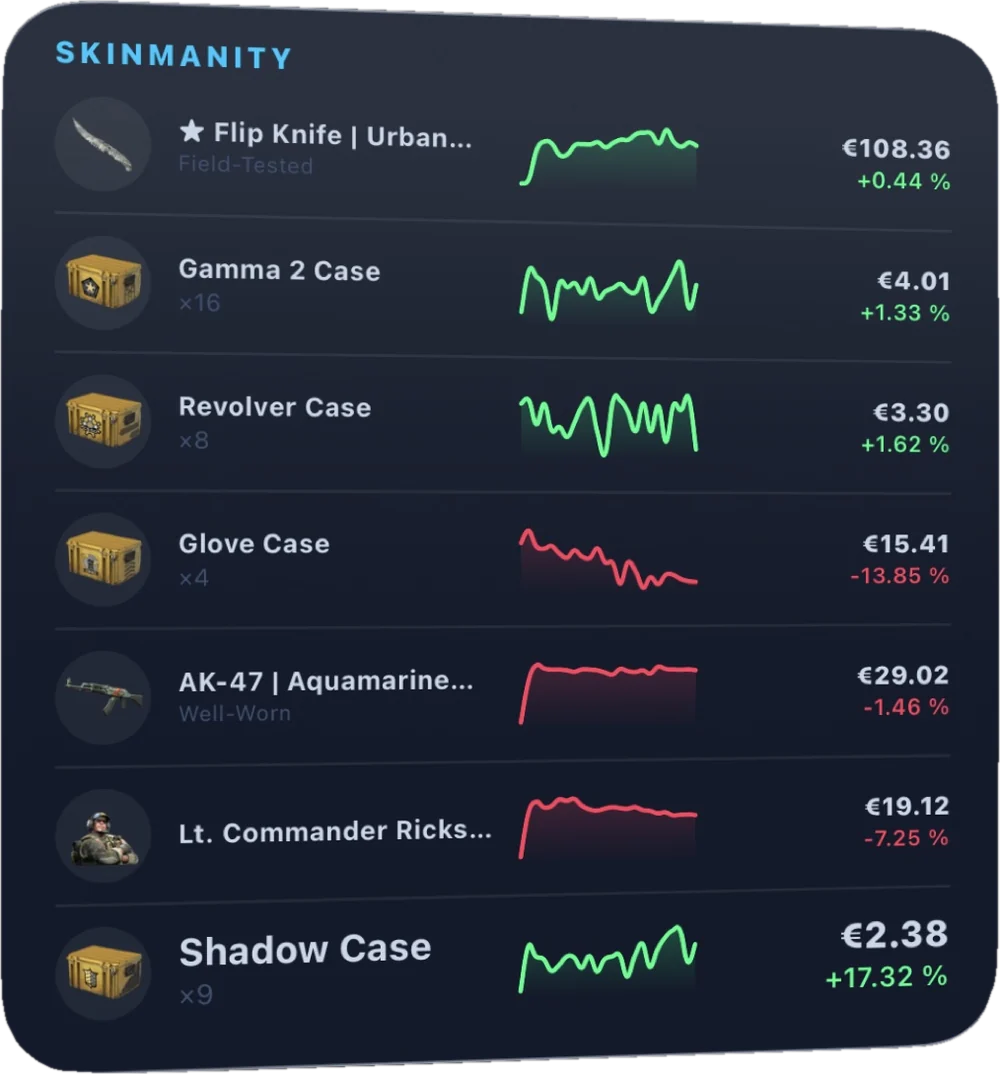
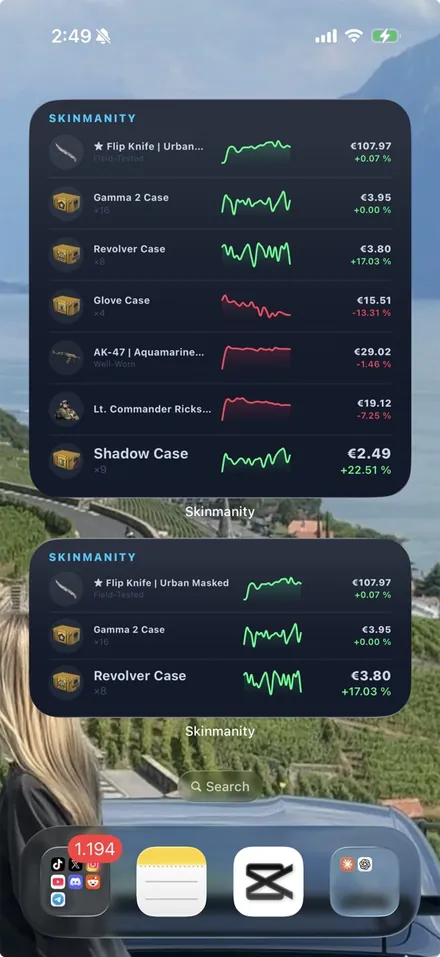
A Price Board of Your Skins
Pick the skins you care about and watch them all at once: the item, its trend line and the current price with the change — right on your Home Screen.
Medium fits 3, large fits 7. Leave the selection empty and it tracks your most valuable ones automatically.
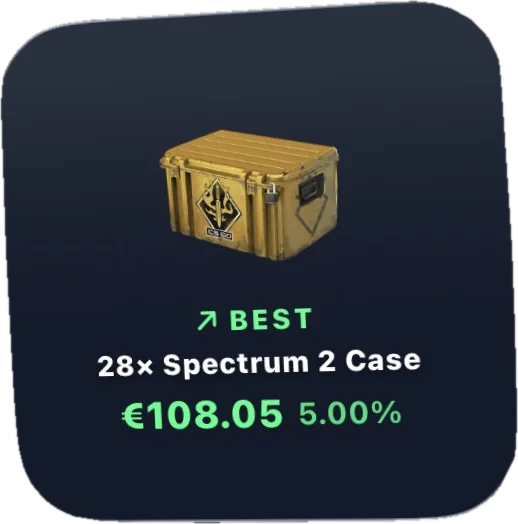
One Skin, Front and Center
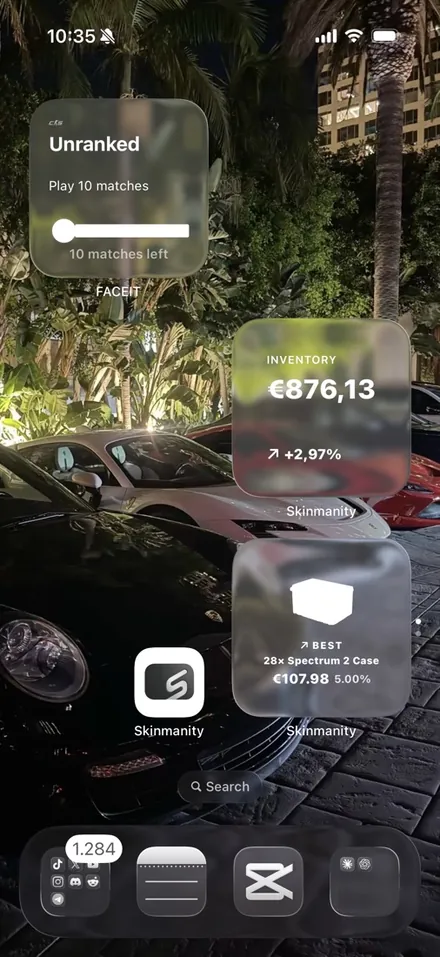
Your best performing item — or any skin you choose — on a glass card with its live price and profit.
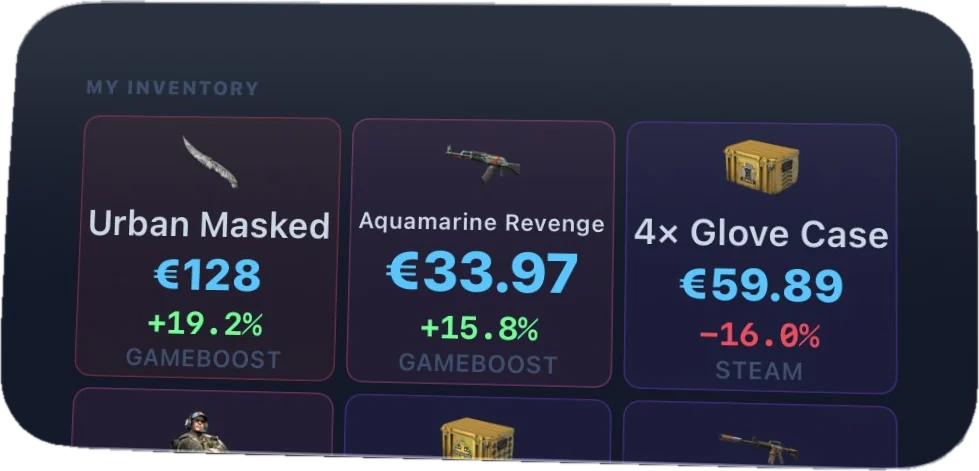
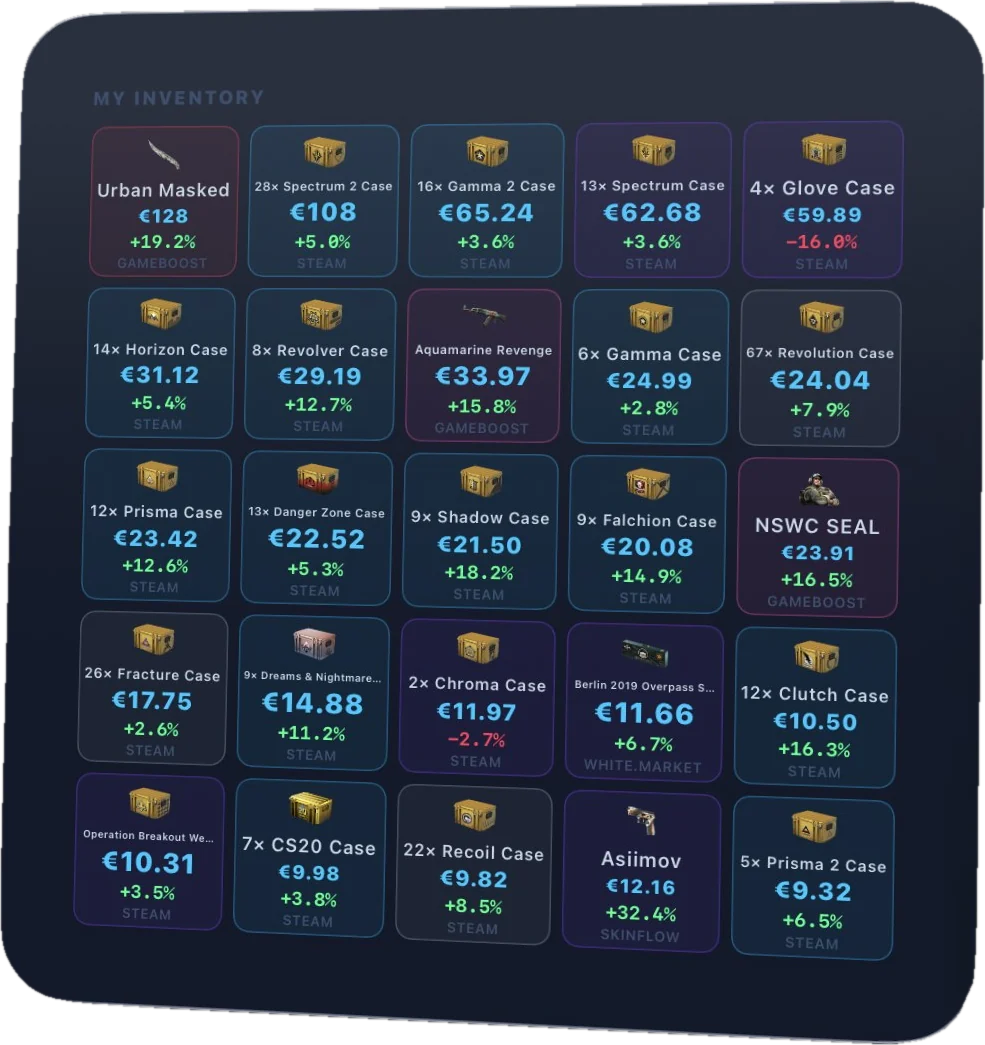
Your Whole Inventory as a Grid
Up to 25 items with live prices, profit % and the market each price comes from. Choose exactly what it shows in Settings.
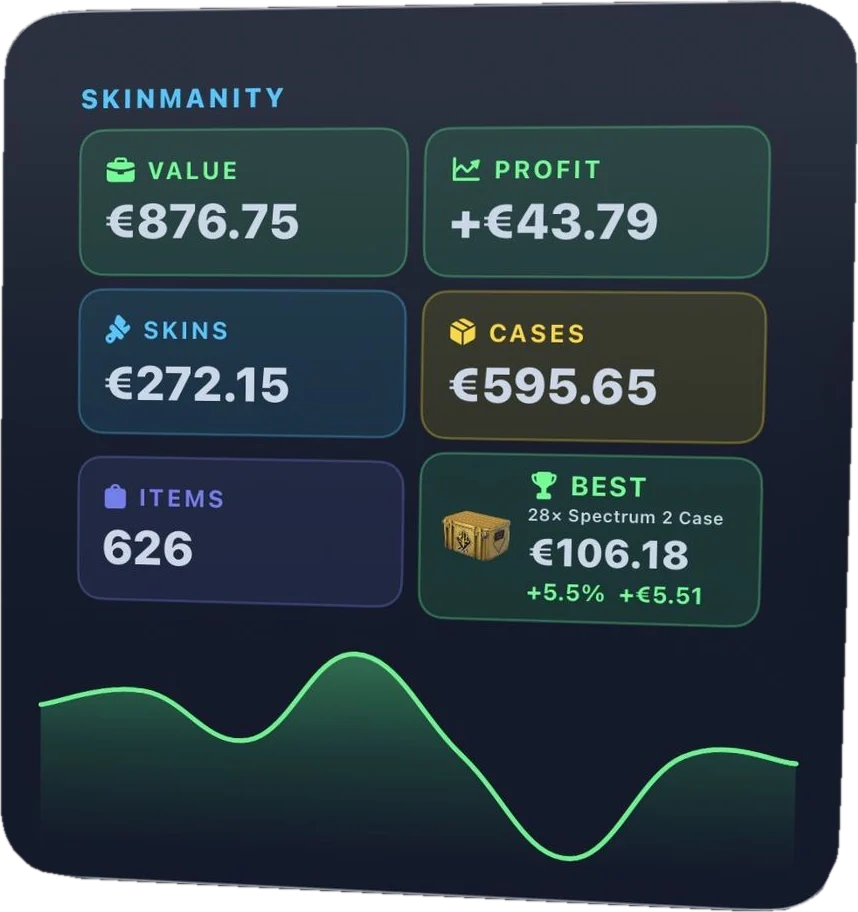
Value, Profit, Skins, Cases
Every number that matters in one widget — value, profit, skins, cases, item count, your best item and the 30-day chart.
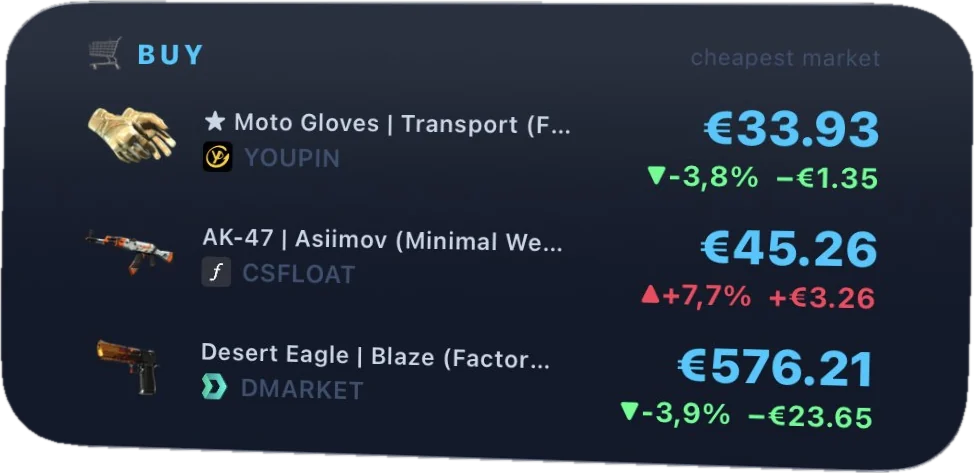
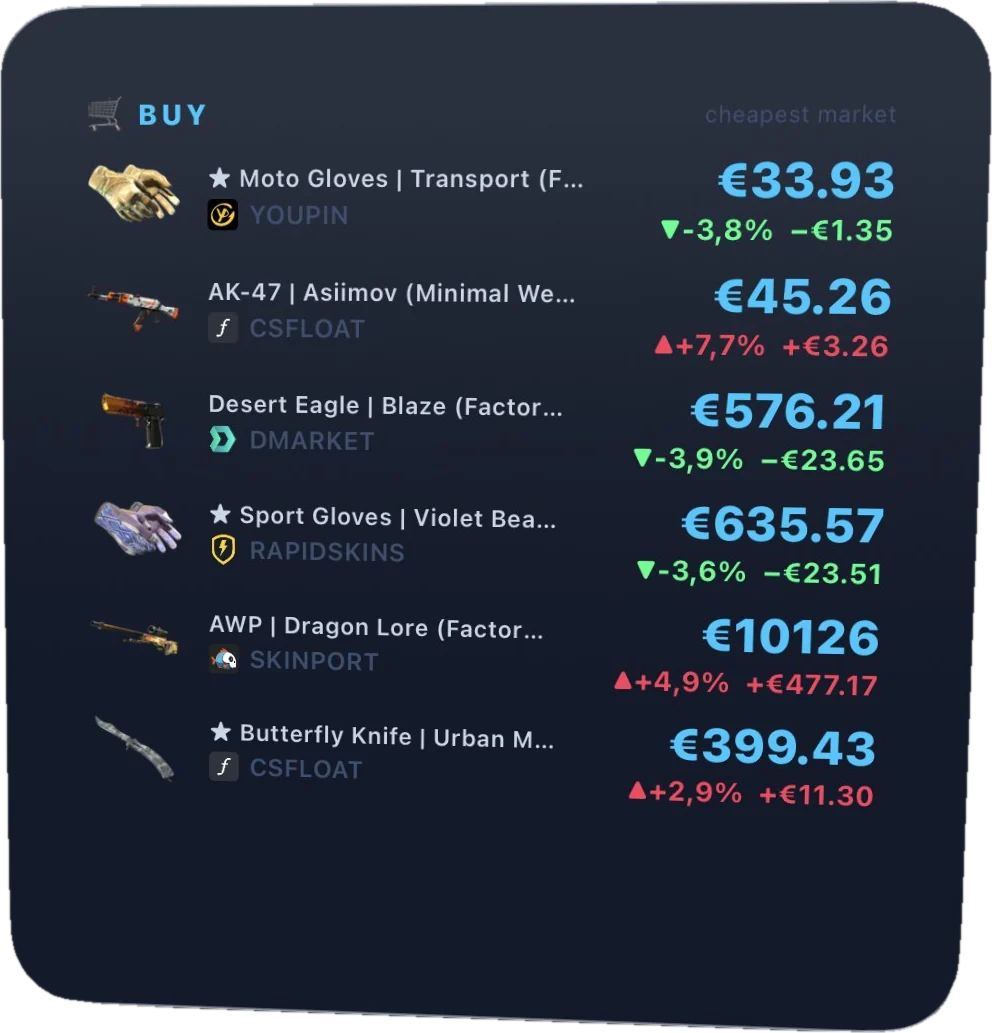
The Skins You Want to Buy
Every skin you plan to buy, with the cheapest market right now, the current price and how it has moved since you added it. Catch the dip without checking 40 sites.
Before You Even Unlock
The same numbers, sized for the lock screen: total value, growth, or profit on invested — inline next to the clock or as a circular gauge.
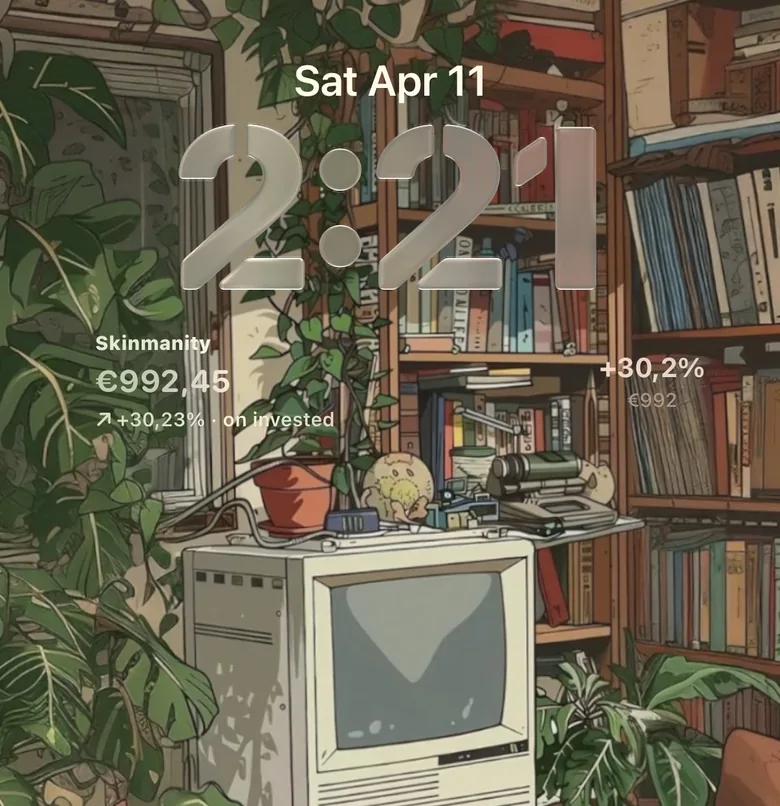
And this still isn't all of them
Each widget above comes in several variations — different sizes, different layouts, and settings that change what it puts on screen. Add one, open its panel, and make it show exactly what you care about.
Every widget, your way.
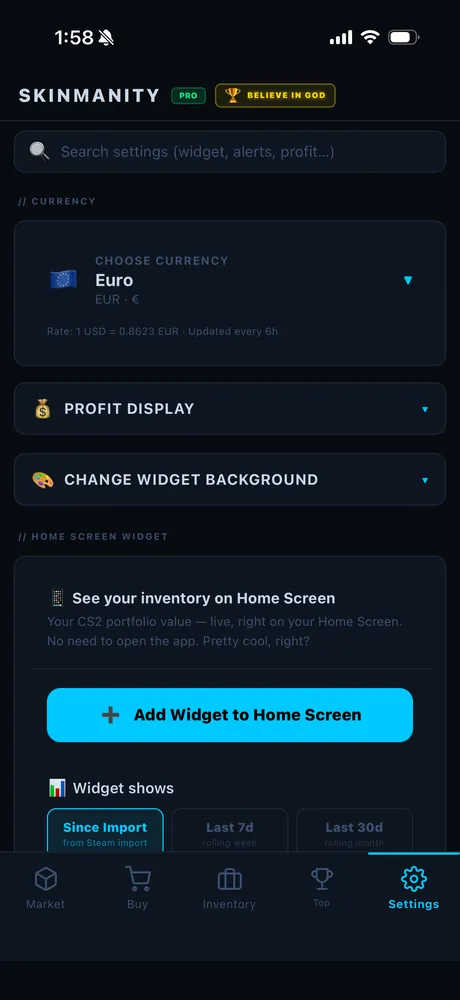
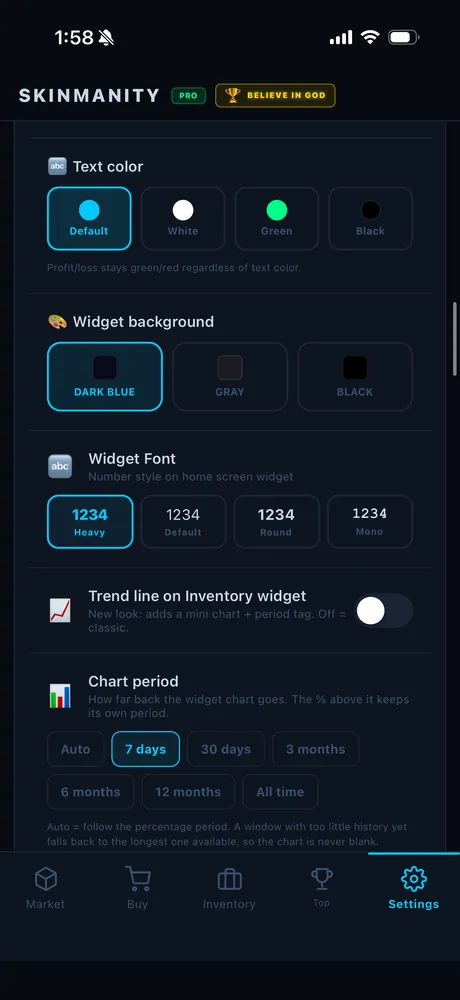
Colors, text, background, which numbers each widget shows — all yours, in Settings ▸ Widgets, changeable any time. Go translucent and the widget picks up your wallpaper: on a photo background it stops looking like an app and starts looking like part of the phone. Or drop your own image straight into the widget.
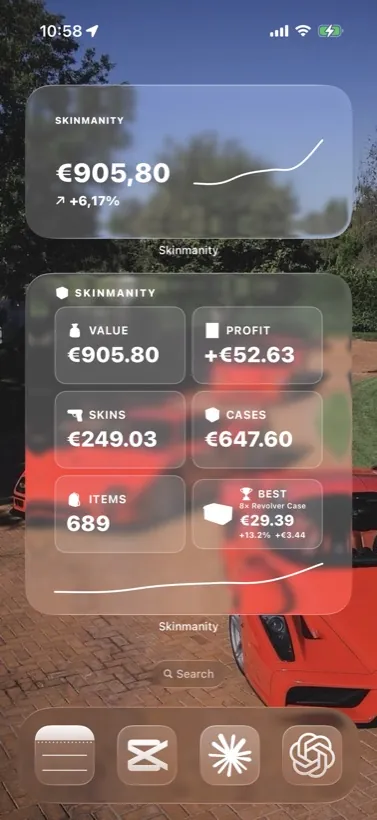
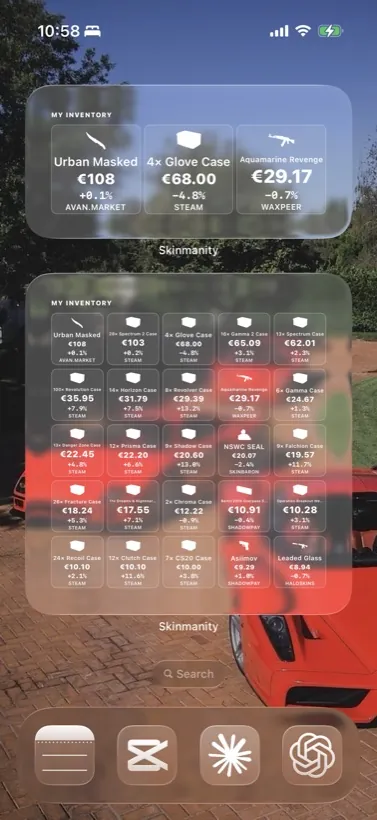
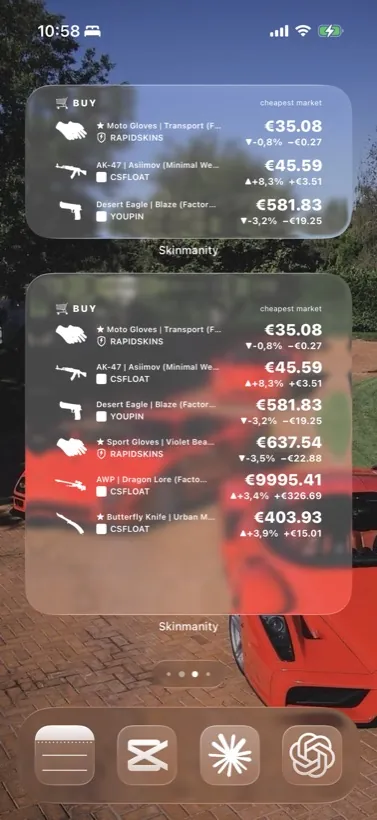
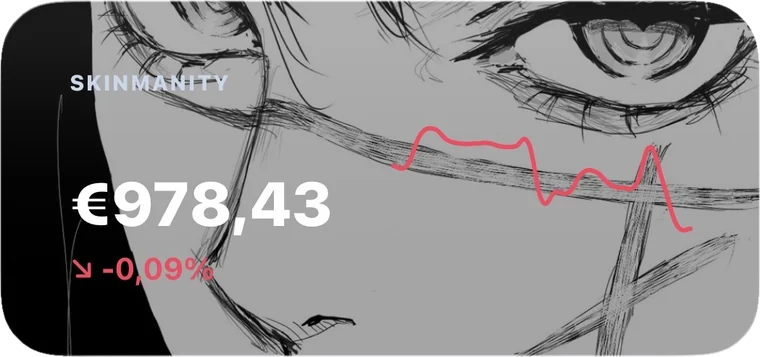
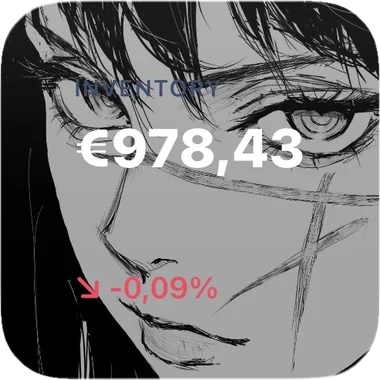
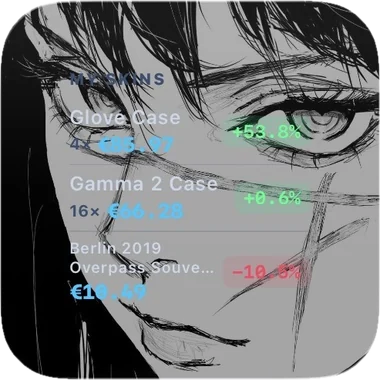
Put your own picture behind it
Any image from your camera roll can become the widget's background — your wallpaper, a screenshot, your favourite skin. Text colour follows, so it stays readable whatever you pick.
Nobody has to know what those numbers are
Your partner, your family, whoever is sitting next to you on the train — they all glance at your home screen. Shadow Mode swaps the currency sign for an emoji, so €937.01 becomes 🐾937.01 and nobody can tell whether that's a step count or your inventory.
Or type any emoji you like. Settings ▸ Widgets ▸ Shadow mode.
It tells you. You don't have to check.
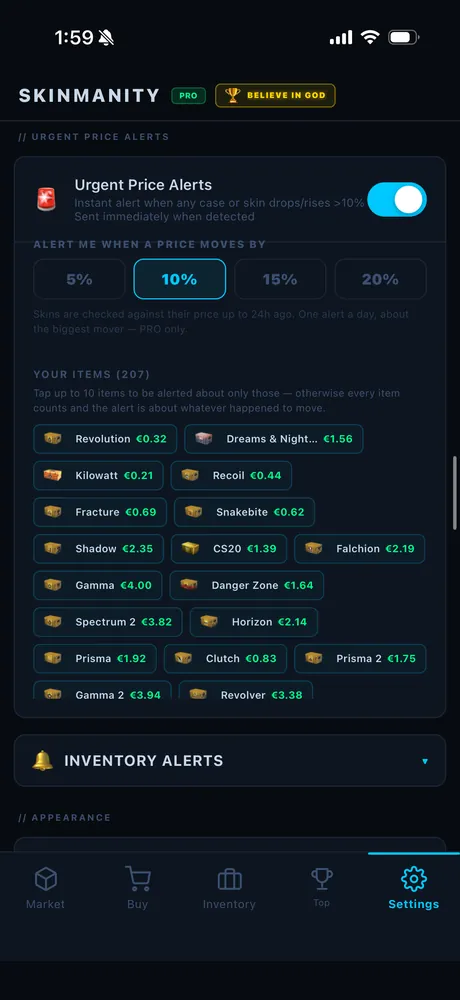
Skinmanity pushes the moves that matter straight to your lock screen, so the app earns its place without you opening it.
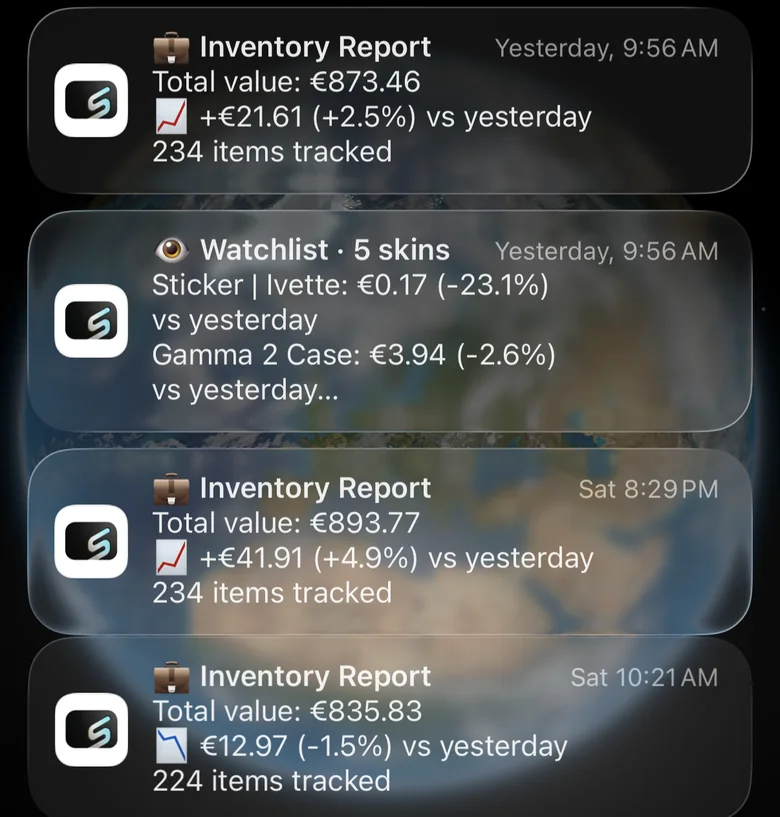
Inventory report
Your total value, how much it moved since yesterday in both € and %, and how many items are being tracked — a daily line on where your portfolio stands.
Watchlist alerts
Per-skin moves for the items you follow. When a sticker drops 23% or a case creeps up, you hear about it the same day instead of finding out a week later.
Skins you want to buy
The same watch on your Buy list — so when something you have been waiting for finally dips at one of the 40+ markets, you are the one who notices first.
Every popular currency in the world.
Whatever a marketplace quotes in, you see your own currency — prices, profit, charts and every widget, converted for you.
One price you can actually trust.
Every CS2 skin, knife, glove, case and sticker — compared across every marketplace we support, on every refresh. Trading somewhere we don't cover yet? Tell us and it gets added.
AUTO Best price, picked for you
Skinmanity scans every market and automatically shows the price that matters: the cheapest market when you're buying, and the highest market that actually pays when you're selling — no shady listings nobody buys at. Prefer one marketplace? Pin any single market as your price source instead, globally or per item.
 Buff163
 CSFloat
 Skinport
 YouPin
 DMarket
 CS.MONEY
 Steam
Steam
 Waxpeer
 SkinBaron
 Lis-Skins
 Market.CSGO
 HaloSkins
 RapidSkins
 SkinFlow
 White.Mkt
 ShadowPay
 Tradeit
 GameBoost
 49Skins
 Avan.Market
 BUFF.Market
 C5Game
 CS.Deals
 CS.TRADE
 ECOsteam
 ExeSkins
 GamerPay
 iTrade
 Loot.Farm
 Mannco
 Skin.Place
 SkinDeck
 SkinOut
 SkinsMonkey
 SkinSwap
 SkinVault
 SnipeSkins
 Swap.gg
 UUSkins
Import once. No Steam login. Ever.
We never ask for your Steam login or password. You paste your profile link, and the app reads your public inventory through Steam's official API — read-only, so it cannot trade, sell or move anything. From then on it prices every item and keeps the value, profit and charts up to date on its own.
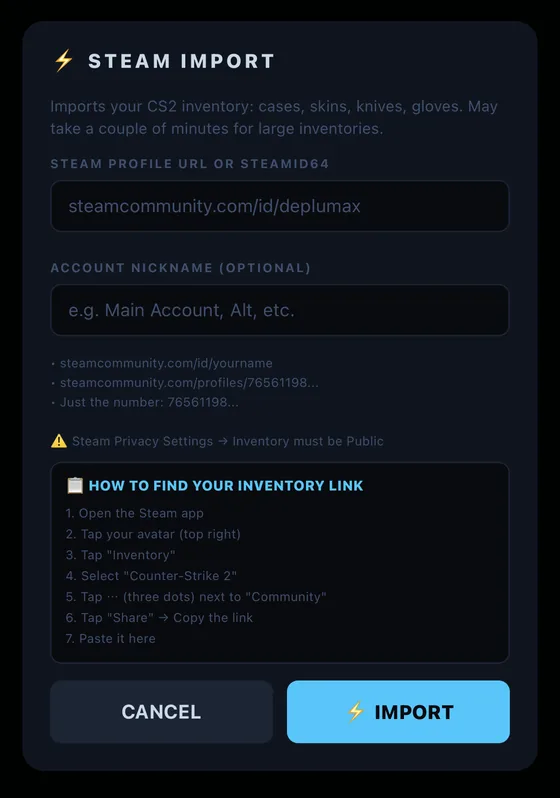
Just a profile link
Paste your Steam URL or ID. Nothing to authorise, nothing to install, no password anywhere.
Read-only, always
The app can see your public inventory and nothing else. It cannot trade, sell or move a single item.
Under a minute
A few hundred items are priced and charted before you have finished reading this.
The widgets are the surface. The app is the rest.
Four more tabs doing the work behind those numbers — finding what to buy, breaking down what you own, ranking you against everyone else, and letting you bend the whole thing to your taste.
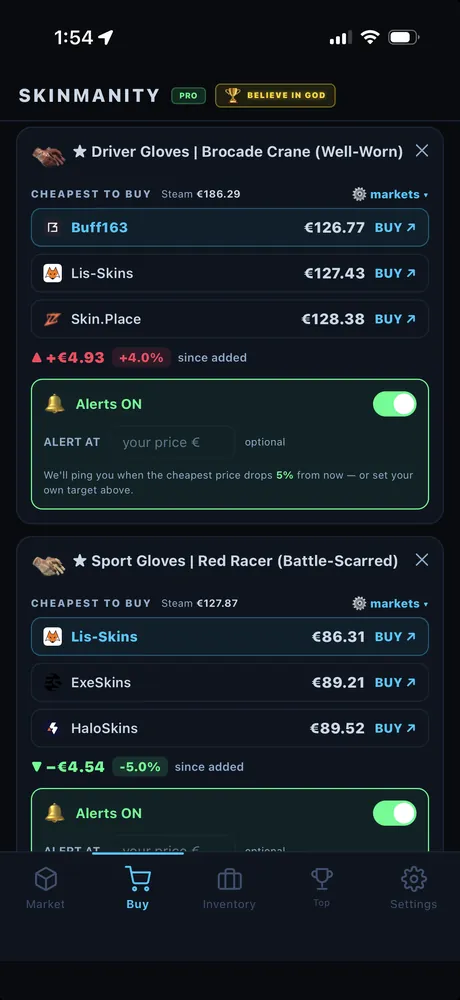
Where to actually buy it, right now
Add a skin to your Buy list and the app lines up every market side by side, cheapest first, with a direct link to each. No more opening six tabs to find out who has the best price.
Set an alert at your own target — or let it ping you when the cheapest price drops by the percentage you pick.
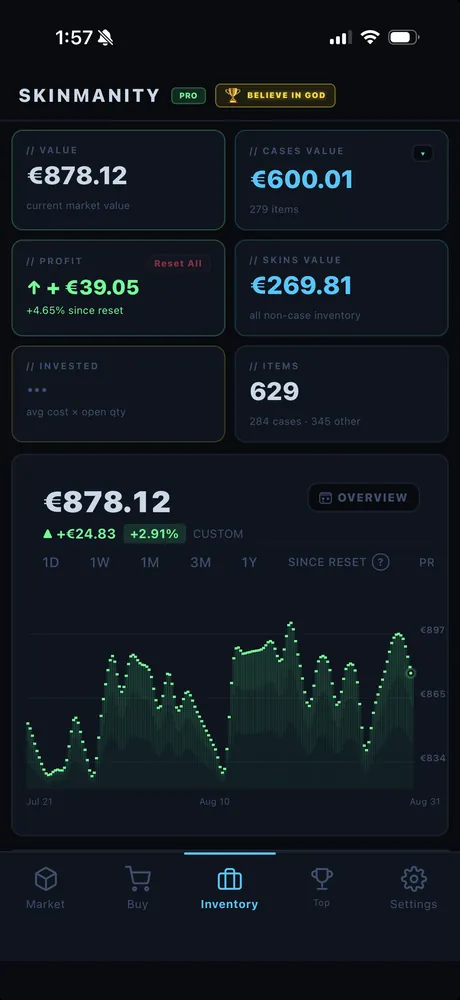
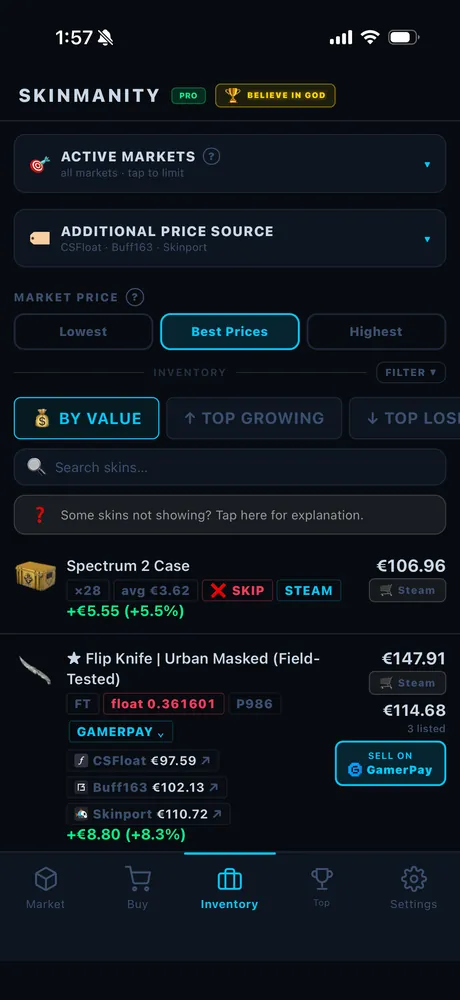
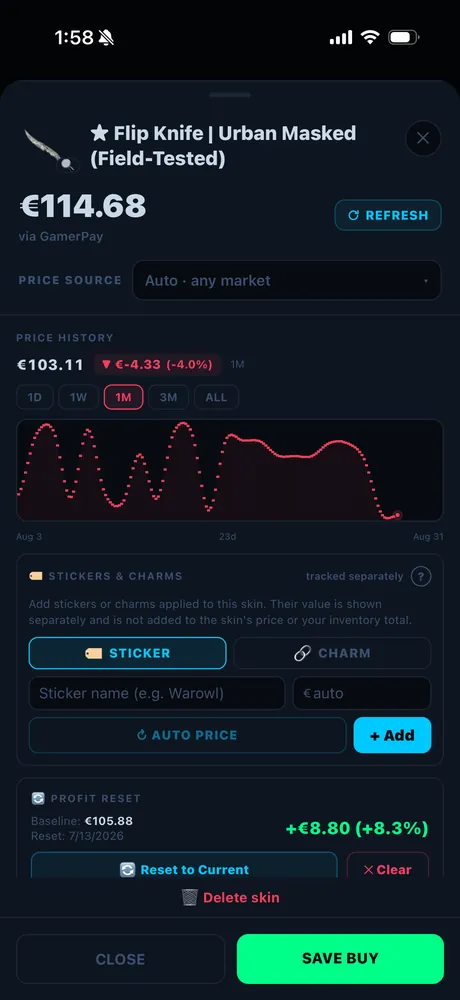
Every number, broken down
Total value, profit since reset, cases vs skins, item count — and a chart you can scrub from one day to all time. Choose which markets your valuation uses, sort by value or by what's growing fastest, and open any item for its full price history, stickers and float.
See exactly where you stand
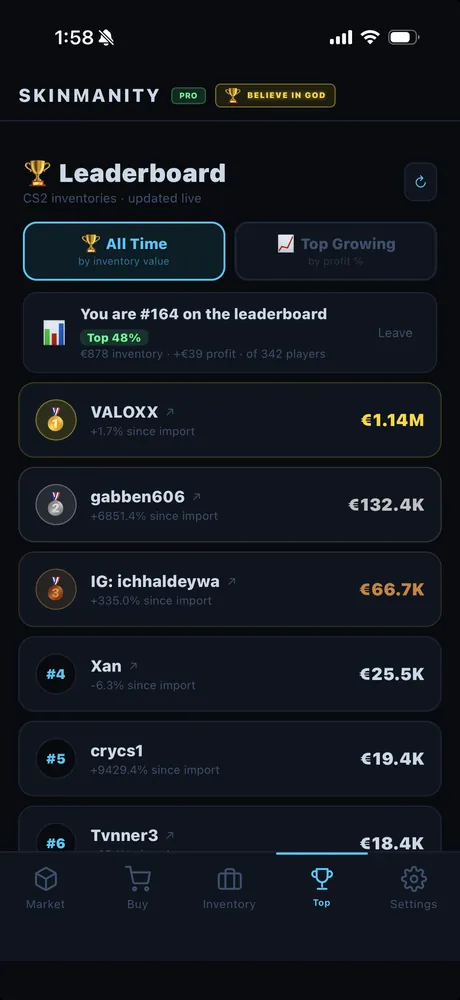
A live leaderboard of every tracked CS2 inventory. Find your own rank, see how far off the top you are, and check whether your friends are actually as rich as they say they are.
Sort by all-time value or by who is growing fastest right now — and hide yourself from it any time if you would rather not be listed.
Bend all of it to your taste
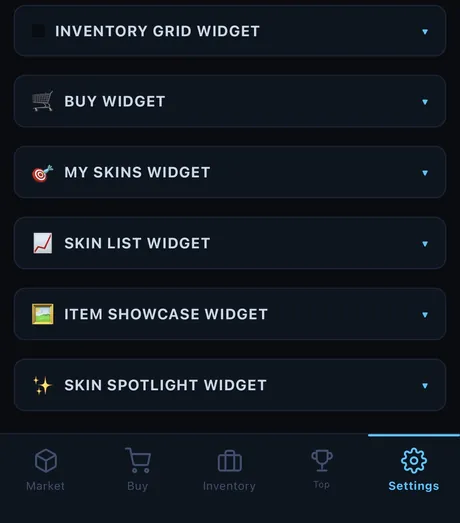
Currency, profit display, which markets count toward your valuation. Every widget gets its own panel: colours, background, font, chart period, what it shows. And the alerts are yours to tune — pick the drop percentage that matters, or single out the exact items you want to hear about.
And more widgets are on the way
We are still building. New widgets ship for both iOS and Android, and they arrive as a normal app update — if you already have PRO, you get every new one at no extra cost. Got an idea for one? Tell us on Discord.
Two ways to unlock everything.
A monthly subscription billed through your app store, or a one-time Lifetime purchase — which you can also pay for with CS2 skins instead of money.
Terms of Use · Privacy Policy · Restore Purchases
No card. Just skins.
This applies to the Lifetime license only — the monthly subscription is always billed through the App Store or Google Play. Skin payments are processed by Skinsback, a third-party payment service that accepts CS2 skins instead of money. When you start the payment we redirect you to Skinsback, where you pick skins from your Steam inventory worth the price of the license. Skinsback's bot sends you a normal Steam trade offer — once you accept it, we're notified automatically and your PRO unlocks.
Get paid to post about Skinmanity
We’re looking for CS2 creators. Post videos that show the Skinmanity widgets and earn 10–40% of every sale they bring in — plus PRO for free while you post.
Frequently asked questions
A skin from my inventory isn't showing up — why?
A skin shows the "wrong" price — why?
Which currencies does Skinmanity support?
Is it safe to connect my Steam account?
Does my inventory need to be public?
How often do prices update?
How does the monthly subscription work?
How does the Lifetime purchase work?
What is Skinsback and why am I redirected there?
I got a new phone — how do I move my PRO (bought with skins)?
How do I add a widget to my home screen?
Android: touch and hold an empty area of your home screen, tap Widgets, scroll to Skinmanity, then drag the size you want onto the screen.
Once it's placed, hold the widget and choose Edit Widget to pick which one it shows — or open Settings ▸ Widgets in the app to change its colours, background and contents. Widgets need PRO.
What's the difference between the widgets?
My Skins — up to 3 hand-picked items with live price and growth.
Skin List — a price board with sparklines: 3 skins on medium, 7 on large.
Skin Spotlight — one item front and center with its price and profit.
Buy — Best Price — the cheapest market right now for the skins you want to buy.
Inventory Grid — up to 25 items with prices, profit % and source market.
Inventory Stats — value, profit, skins, cases, item count, best item and the 30-day chart.
Buy List — your full buy list with cheapest market and change since added.
Lock screen — inline, circular and rectangular versions of the same numbers.
All widgets are part of PRO and are available on both iOS and Android.
Put your inventory on your home screen.
Then flex it in front of your friends. Trust us — their home screen is not this cool.
Import from Steam in under a minute. No login, no password, read-only.